Rewrite the documentation into answers
Article 5 ended with a decision to rewrite Adobe Help around answers. This one covers what that rewrite meant in practice, and how we tested it.
An accurate article can still make the reader do too much work. By 2023 our pages were cleaner and easier to navigate, but many still asked the reader to dig the answer out and turn it into a next step. That shifted the cognitive burden from us back onto our users.
So we clarified what each type of page was for, developed the content models, and created new authoring workflows to support them. The structure of content decides what a reader can do with it, and increasingly what an AI system can do with it. The content model you choose today is what an agent reads tomorrow.
Name the job of the page
We started by giving each content type a main job: teach, unblock, inspire, or accelerate. The reader brings a task; the page’s job is how it helps them finish it.
A teaching page builds a skill or concept someone will use again. An unblocking page gets them past a problem that’s stopping their work. An inspiring page shows them something worth trying, and an accelerating page helps an experienced user work faster.
Many pages do more than one of these. Naming the main job tells you what goes first and what can wait. Someone fixing an install error may want a short explanation, but above all they need a next step they can’t miss.
Give reviewers something concrete to judge
We paired the jobs with three principles: efficient, effective, and engaging.
Efficient means the reader reaches the relevant part without extra effort. Effective means the guidance is accurate and complete for their situation. Engaging means the page reads clearly and gives the reader a reason to keep going when there’s more to do.
The principles were most useful in review. “This isn’t efficient yet” only helps once a reviewer points to the specific problem, like an unexplained prerequisite, a step written for the wrong version, or a screenshot missing the control the reader needs.
Write for a task
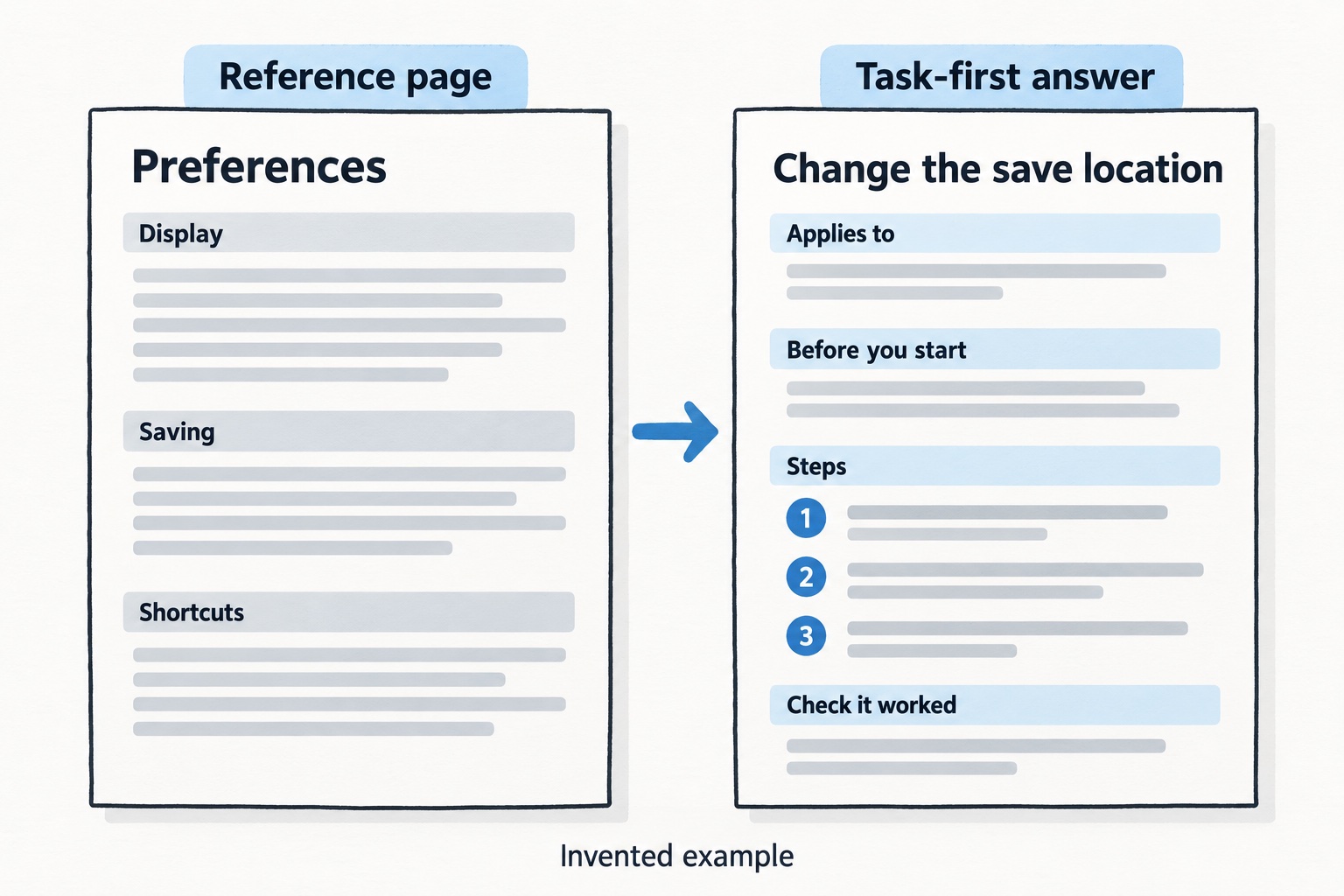
A task-first answer opens with what someone is trying to do. It says who the instructions apply to, lists the steps in order, and explains how to recognize success. Limits and prerequisites sit before the action, where the reader needs them.
Here’s an invented illustration. A broad article about preferences might explain every setting in the app. A task-first page about changing the default save location would name the relevant version, show the one setting to change, and tell the reader how to check where the next file lands. Both pages can be accurate, and the second is the one built around what the reader came to do.
The content types from our earlier structural work gave us a starting point. We rebuilt each type around a task, so it had a fixed structure built for a particular kind of need. Readers learn the pattern, and writers stop reinventing structure page by page. Any system reading the content, whether a search engine or a language model, can count on the same parts appearing in the same places.
Reuse without losing context
The new authoring workflow kept content independent of any one platform, so writers could focus on substance and one source could feed several surfaces.
Reuse takes care. A step that makes sense on a full page can lose its prerequisite when it appears inside an app or gets retrieved for an AI answer. Each piece of content has to carry enough context to stay accurate wherever it lands.
Test the rewrite
As the pattern took shape, we tested rewritten content against the existing versions before applying it across the library. I’d insist on that step in any rebuild, and here’s how I’d set it up.
Compare the original and rewritten versions for the same task, with comparable audiences. When you can, assign readers to versions at random so you’re comparing like with like.
Decide what success means before the test starts. Did the reader complete the task? Could they find the next step? Did the rewrite introduce a new obstacle? This is where the scorecard from article 5 matters, because time on page only helps explain a result once you’ve measured the result itself.
Then refine the pattern with what you learn before scaling it.
What it cost
Rewriting is expensive. Every page needs someone to decide what it should do, then write it that way. Some owners were attached to pages that had served them for years. A new content model and authoring workflow meant retraining a large group of contributors while the site stayed live.
We gave up some of the individuality of each product and authoring group in exchange for consistent and predictable article structures.
Every page had a predictable structure, with the task named, the prerequisites up front, and a way to check success. A person, a search engine, and a language model could all read it the same way, and the next rung depends on exactly that.
Which article in your library makes the reader assemble an answer you could write for them directly?
I worked at Adobe, where I led the Help experience team from 2020 to 2026. Views are my own.